Wearable Tech Basics: Getting More from Your Smartwatch
Turn your smartwatch into a daily essential. Learn setup tips, battery savers, health insights, and features that boost productivity and wellbeing.
Quick Setup Essentials
Pairing your smartwatch with your phone is the first step to unlocking value, so start by enabling Bluetooth and following the companion app's prompts. Allow essential permissions only, such as notifications and fitness data, to keep noise low and signals high. Customize your watch face and complications so important data is always glanceable; think calendar, weather, and activity rings. Explore gesture controls, haptics, and voice assistant options to build a comfortable interaction style that suits busy routines. Calibrate sensors by wearing the watch snugly above the wrist bone, and complete any initial fitness baselines. Turn on find my device features, set a secure passcode, and enable automatic backups to protect your data. Finally, learn the quick settings panel: toggles for airplane mode, brightness, sound, and Do Not Disturb will save time daily. A thoughtful first setup ensures your wearable becomes a dependable tool rather than a distraction, elevating everyday tasks with efficient, context-aware information.
Smarter Notifications and Productivity
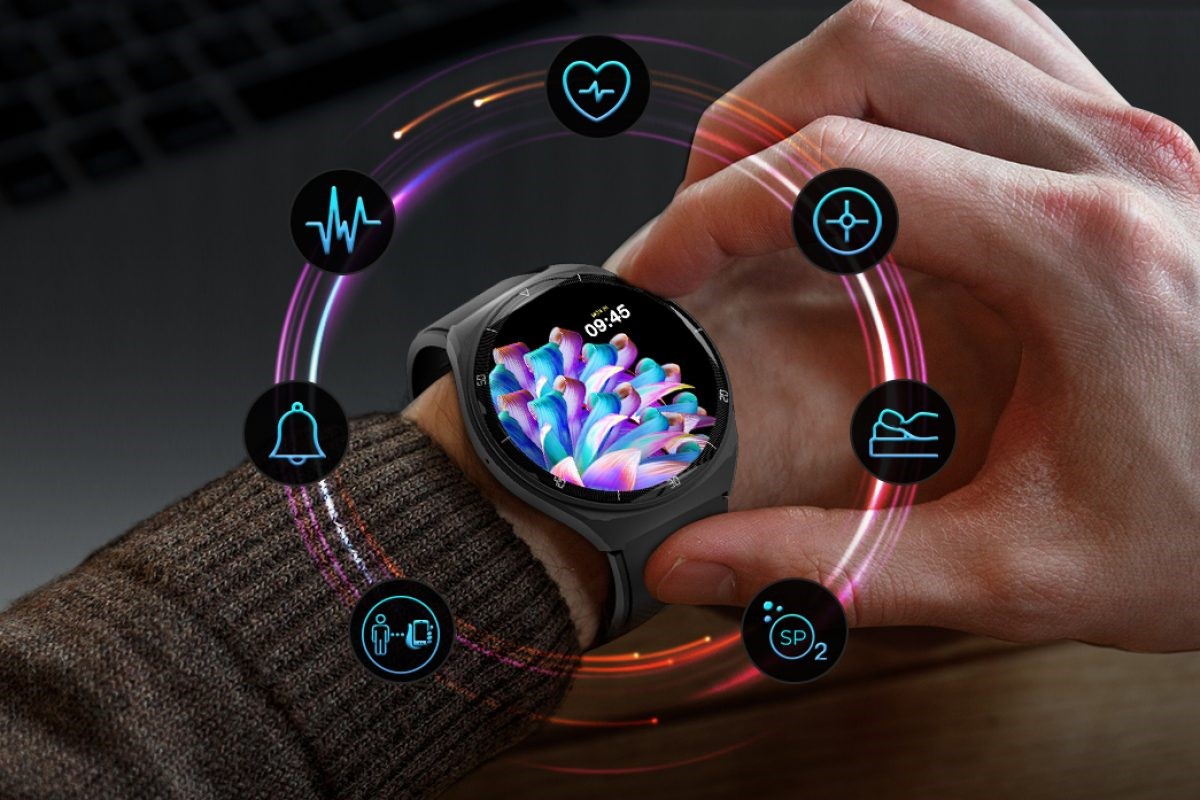
Your smartwatch can tame notification overload when you tailor alerts to what truly matters. Start by grouping and prioritizing channels in the phone app, allowing only time-sensitive messages to reach your wrist. Use Do Not Disturb or Focus modes during deep work or workouts, and schedule quiet times for evenings. Practice quick triage: dismiss clutter, snooze reminders you'll revisit, and star items that need action later. Make the most of smart replies, dictation, and voice notes to respond without reaching for your phone. Add timers, alarms, and stopwatches to a favorites panel for rapid access, and pin a compact to‑do or notes app to capture tasks on the go. Calendar complications can surface your next event at a glance, while location‑based reminders nudge you at the right place. Over time, refine filters based on patterns and stress points. By curating signals and embracing quick actions, your watch becomes a calm, glanceable command center for daily life.
Health and Fitness Tracking Fundamentals
A smartwatch's health features shine when you pair accurate data with actionable habits. Begin by enabling continuous heart rate monitoring and calibrating stride for more reliable distance estimates. Choose the right workout modes so metrics like GPS route, cadence, and pace are recorded correctly. Use zone-based training to balance intensity and recovery, and set alerts for heart rate thresholds or pace targets. For daily wellness, track sleep length and quality, then build routines that support consistent bedtimes and wind‑downs. Consider stress indicators or HRV trends as gentle guides rather than diagnostics, and consult professionals for medical questions. Hydration and mindfulness reminders can help counter desk-bound days, while stand nudges and movement goals promote light activity. Sync data to a health hub to visualize trends and celebrate progress. Most importantly, aim for sustainable, incremental improvement; let the watch surface insights, but let your goals and comfort lead the way.
Battery Life Mastery
Maximizing battery life starts with understanding where energy goes. The display is the biggest drain, so tune brightness, shorten screen timeout, and consider reducing always‑on behavior when you need endurance. Disable raise‑to‑wake in theaters or meetings, and limit rich animations on power‑saver days. Audit background sync and keep only high‑value complications active. Turn off radios you're not using—Wi‑Fi, LTE, or GPS—and prefer Bluetooth when close to your phone. Schedule sleep mode to quiet notifications and dim the screen at night. Top up during routine anchors, like showering or breakfast, to avoid deep discharges. Keep firmware current for efficiency improvements, and use certified chargers to protect battery health. If your watch supports charging optimization, enable it to reduce battery stress over time. A few mindful tweaks translate into reliable, all‑day performance, ensuring your wearable stays ready for workouts, navigation, and productivity whenever you need it.
Apps, Faces, and Customization
Treat your smartwatch like a tailored toolkit. Start with a clean app ecosystem: install only what earns a permanent spot on your wrist, and remove anything that duplicates phone features without adding convenience. Curate watch faces for different contexts—minimal for focus, data‑dense for travel, bold for workouts—and assign relevant complications like music controls, calendar, weather, or heart rate. Explore widgets or tiles for quick status checks, and reorder them to match your daily flow. Build shortcuts or lightweight automations for common tasks, such as launching a playlist, logging water, or starting a favorite workout. If your platform supports gestures or rotating crowns, map them to high‑value actions. Keep accessibility in mind: increase text size, enable high contrast, and simplify haptics if you prefer subtle feedback. With intentional customization, your watch becomes a friction‑free extension of your habits, elevating both utility and delight in everyday moments.
Connectivity and the Wider Ecosystem
A smartwatch thrives when it plays nicely with your other consumer electronics. Understand connectivity layers: Bluetooth offers efficient pairing, Wi‑Fi helps when your phone is out of range, and LTE can keep you connected during runs without a handset. Use NFC for contactless payments, transit taps, and quick device pairing. Set up handoff or continuity so calls, messages, and media flow seamlessly across devices. Sync music and podcasts for offline use, and pair Bluetooth earbuds for workouts or commutes. Integrate smart home controls to adjust lights, thermostats, or locks from your wrist with concise taps. If you juggle multiple devices, enable cloud sync for notifications and health data, and fine‑tune what each device alerts you about to avoid duplication. Treat the watch as a hub for micro‑interactions, offloading only the essential moments from your phone while leaving deep work to larger screens.
Privacy, Security, and Care
Your watch handles sensitive information—protect it with smart habits. Start with a strong passcode and enable wrist detection so the device locks when removed. Review permissions in the companion app, limiting access to location, microphone, and health data to apps that earn your trust. Turn on device‑finding and remote erase features, and keep firmware updates current for security patches. For payments, require authentication and monitor transaction histories. Consider two‑factor prompts on the wrist only when your environment is secure. Maintain the hardware: rinse bands after workouts, use a soft microfiber cloth on sensors and glass, and respect water resistance ratings. Avoid extreme temperatures and magnetic clasps that might affect sensors. Periodically backup settings and perform a reset if performance degrades. By combining data discipline with routine care, you preserve privacy, maintain accuracy, and extend the life of your wearable—ensuring it remains a trusted companion in your digital and fitness journey.