Tablet vs 2-in-1: Which Portable Screen Suits You
Unsure between a tablet or a 2-in-1? Compare portability, performance, battery life, input options, and price to find the best fit for work and play.
Form Factor and Flexibility
Tablets emphasize simplicity and ease, presenting a single, slim slate designed for effortless carry and spontaneous use. Their lightweight nature makes them ideal for reading, sketching, and quick browsing, and many models integrate a kickstand or magnetic cover for propping at a desk or on a tray table. By contrast, 2-in-1 devices combine a touchscreen with a convertible hinge or detachable keyboard, morphing from laptop to tablet and back again. This shape-shifting design favors users who split time between typing-heavy tasks and touch-first interactions. Consider lapability and stability: convertibles tend to sit more securely on your knees, while detachables are lighter in the hand. Port selection also differs; tablets often rely on a single USB-C port and wireless accessories, whereas 2-in-1s commonly add more ports for displays and storage. If your routine swings from couch browsing to coffee-shop spreadsheets, a 2-in-1's versatility shines; if you prize minimal weight and instant access, a tablet may feel more natural.
Performance and Operating Systems
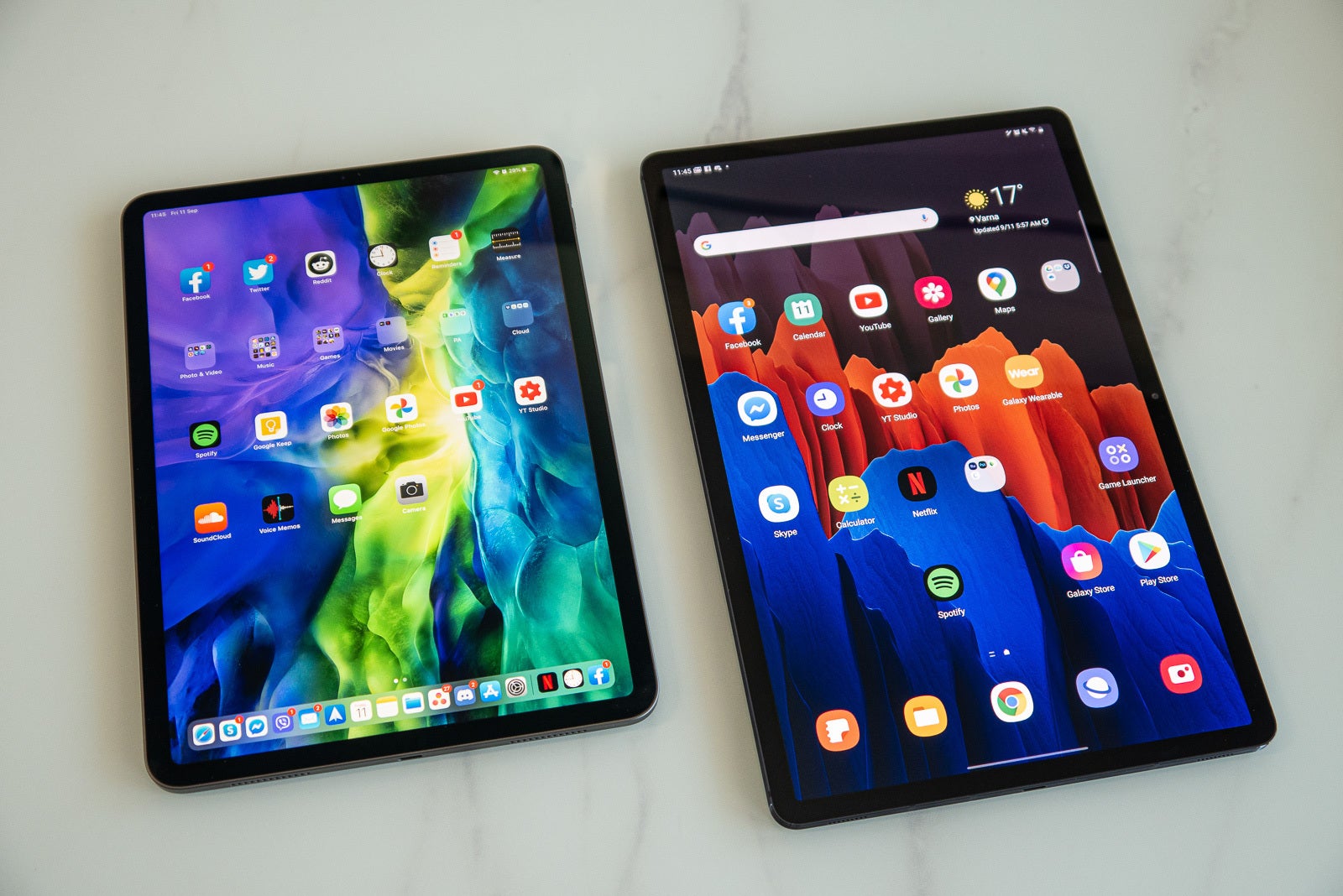
Performance often hinges on whether you need mobile-optimized efficiency or desktop-class horsepower. Tablets usually run streamlined operating systems focused on touch, battery life, and simple app delivery. This means swift wake times, strong standby behavior, and straightforward app management, but sometimes limited windowing and niche pro app availability. 2-in-1s frequently use laptop-grade platforms with deeper multitasking, richer file systems, and broader driver support for specialized hardware. If your work involves large spreadsheets, light video editing, multiple monitors, or developer tools, a 2-in-1's compute headroom and traditional desktop workflows can be decisive. Conversely, if your day is dominated by reading, note-taking, messaging, and media, a tablet's efficiency and clean interface feel refreshingly direct. Also consider ecosystem needs: tablets may excel with optimized tablet apps and pen-first workflows, while 2-in-1s align with classic desktop applications, legacy peripherals, and more intricate productivity stacks.
Input and Creativity Tools
Input can define your daily comfort. Tablets are built around touch and pen input, often offering low-latency inking, tilt detection, and reliable palm rejection for natural handwriting and sketching. They pair well with compact, detachable keyboards intended for occasional typing. 2-in-1s elevate typing and cursor control with firmer keyboards, larger trackpads, and function keys that speed navigation. If you draft long documents or write code, that tactile feedback pays dividends. Artists and note-takers should compare pen latency, pressure curves, and screen texture; a slight matte finish can reduce glare and improve control. Connectivity also matters. Tablets lean toward minimal ports and Bluetooth accessories, keeping travel kits light. 2-in-1s typically add more physical connections, simplifying docking to monitors, storage, and wired networks. Think through your accessories: external mice, drawing pens, card readers, audio gear. The toolchain you rely on every day should guide your choice, from quick annotations to full-scale creative sessions.
Battery Life and Mobility
Both categories tout strong battery life, but behave differently on the move. Tablets excel at standby efficiency, sipping power while idle so they are ready the moment you pick them up. Many charge over USB-C, work well with compact power banks, and stay cool with fanless designs that remain silent in quiet rooms. 2-in-1s can last a full work session, especially under balanced power modes, and their batteries support heavier multitasking without quick drain. Some models include efficient cooling and whisper-quiet fans, which sustain performance during long video calls, light editing, or browser tab marathons. If you commute frequently, consider weight, charger size, and how often you need to plug in. Cellular-capable tablets can offer always-connected convenience; 2-in-1s typically rely on Wi-Fi or tethering. Evaluate your day: trains and flights favor compact, low-heat devices; shared offices and classrooms reward machines that can sprint when needed and gracefully throttle back.
Entertainment and Everyday Use
For relaxation and day-to-day tasks, displays and speakers become central. Tablets shine as media companions, with vibrant touchscreens, responsive gestures, and interfaces tuned for reading, streaming, and casual gaming. A balanced aspect ratio can improve web pages or videos, and high brightness helps outdoors. Look for pleasant speakers, decent HDR support, and comfortable refresh rates for smoother scrolling. 2-in-1s add depth to everyday computing, handling heavier web sessions, multiple user accounts, and a broader variety of desktop apps. They typically pair well with external monitors for bigger movie nights or productivity splits. Gamers should weigh expectations: tablets are great for casual titles and cloud options, while 2-in-1s accommodate a wider range of PC-style experiences at modest settings. Reading and note capture both benefit from pen input, but extended typing, data entry, and file management often feel more fluid on a 2-in-1, especially when juggling downloads, archives, or local media libraries.
Price, Longevity, and Making the Choice
Consider the total package: price-to-performance, accessory costs, and longevity. Tablets often start affordably, then accumulate add-ons like pens, keyboards, and cases. Their appeal is durability, low maintenance, and a clean software path that keeps updates simple. 2-in-1s may begin at a higher price, but consolidate roles by replacing both a laptop and a tablet, potentially reducing device clutter. Assess repairability, storage needs, and how long you plan to keep the device. Tablets tend to be sealed and simple; 2-in-1s sometimes allow more robust cooling and faster storage, aiding sustained performance over time. Think about workflows and personas: a traveler who values light reading, sketching, and quick communication gravitates toward a tablet; a student or professional juggling research, spreadsheets, and presentations benefits from a 2-in-1. List your daily tasks, preferred apps, and mobility demands. The right choice supports your routines today and scales gracefully as your needs evolve.