Smart TVs and Streaming: Features That Matter for Everyday Viewing
From picture quality and app support to Wi‑Fi, HDMI eARC, and privacy controls, these are the smart TV and streaming features that truly matter.
Effortless Interface and Everyday Usability
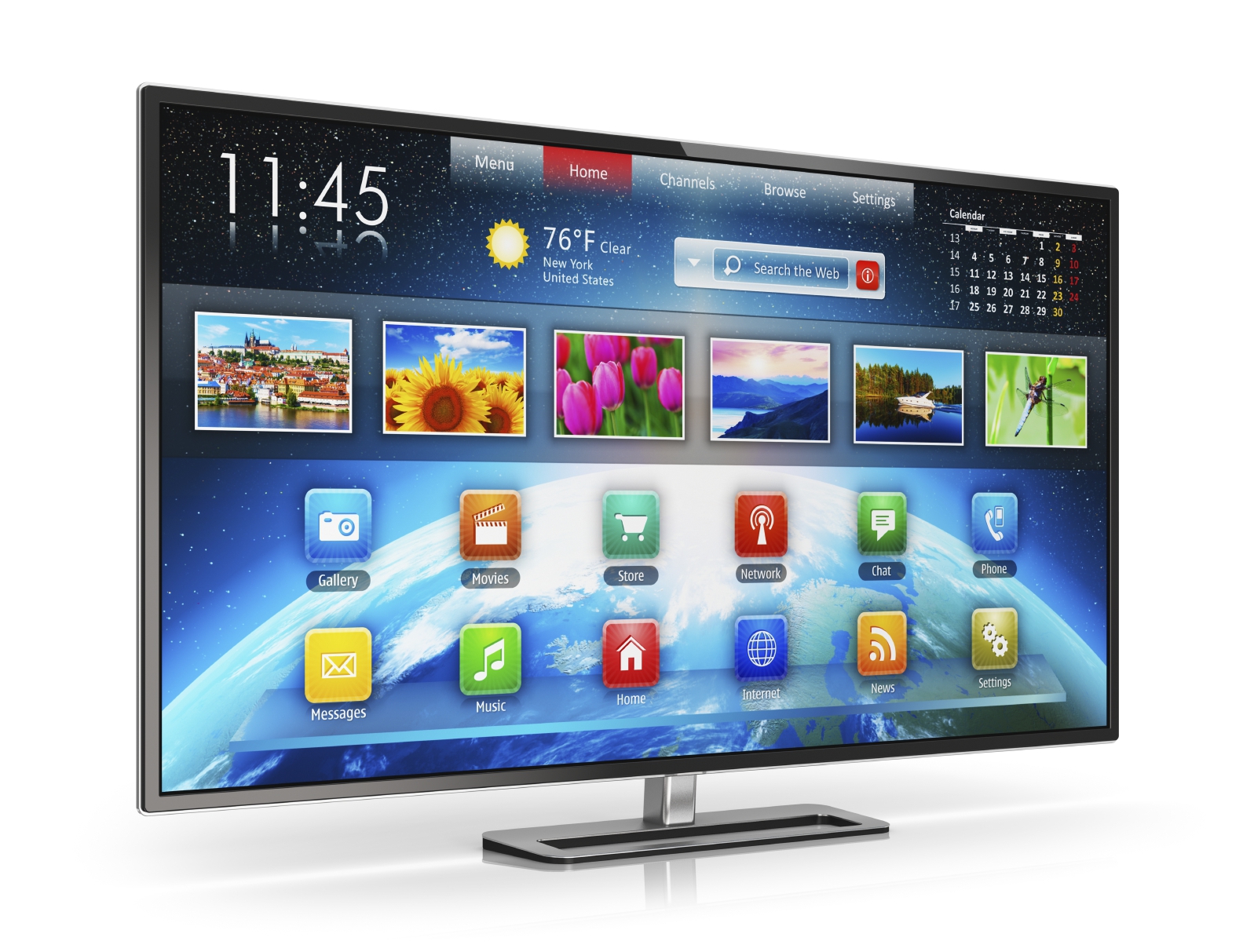
For everyday viewing, the interface is the feature you touch most, so prioritize a Smart TV that feels quick, consistent, and intuitive. A clean home screen with universal search helps you jump to shows across apps without digging through menus. Look for responsive navigation, minimal animation lag, and snappy app switching; these small details prevent daily frustration. Helpful touches include customizable profiles, a robust app library, and clear input labels so family members can swap between streaming, cable, and a game console without confusion. Voice control can speed up searches, launch apps, and change settings hands‑free, but make sure it recognizes your accent and offers reliable offline basics. The remote matters too: backlighting, dedicated shortcuts, and a logical button layout reduce guesswork in a dim room. Finally, check quick settings for picture mode, subtitles, and sleep timers directly from content playback; shaving seconds off each task adds up across thousands of viewing moments.
Picture Quality That Matters More Than Specs
Display buzzwords are everywhere, but daily satisfaction comes from balanced contrast, accurate color, and reliable upscaling. Resolution is important, especially for large screens, yet most viewing mixes streaming with HD broadcasts and older videos. Strong upscaling cleans edges and preserves detail without adding plastic-looking textures. High-quality HDR depends on tone mapping, brightness, and local contrast control; a well-tuned set will reveal highlights without washing out faces or crushing shadows. Look for motion handling that keeps sports smooth while letting you dial back soap‑opera effects in films. Uniformity and viewing angles also affect real rooms; a picture that stays consistent off‑center keeps family seating flexible. Consider presets like Filmmaker or Cinema modes as a baseline, then fine‑tune white balance and color temperature to taste. Finally, remember ambient light: a capable anti‑glare coating and adjustable brightness keep daytime viewing vibrant, while evening modes protect detail and reduce eye strain.
Audio That Keeps Dialogue Clear
Built‑in TV speakers have improved, but their thin cabinets still challenge bass and clarity. For daily comfort, prioritize dialogue enhancement, balanced mids, and a sound profile that keeps voices intelligible over music and effects. Virtual surround processing can add width, yet it should be optional so news and talk shows remain natural. Useful features include night mode to tame explosions, automatic volume leveling between apps, and adjustable lip‑sync. If you plan a soundbar, check for eARC to pass high‑quality audio cleanly, and confirm your TV can control external gear with one remote. Bluetooth headphone support helps with late‑night viewing and accessibility, while multi‑device pairing simplifies family use. Room size matters too: smaller spaces benefit from crisp forward projection; larger rooms may need an external system for fuller soundstage and dynamics. Spend a few minutes calibrating bass, treble, and balance, then save presets for movies, sports, and casual streaming; small tweaks can transform everyday listening.
Connections, Networking, and Control
Ports and wireless stability shape how flexible your setup feels over time. Ensure you have enough HDMI inputs for a streaming box, console, and any legacy devices, reserving one for eARC if you use a soundbar. Front‑facing or well‑spaced ports make swaps painless. Stable Wi‑Fi is essential for 4K streams; if your router is distant or walls are thick, consider Ethernet for rock‑solid bandwidth. Bluetooth helps with headsets and game controllers, while USB ports enable local media playback or a webcam for occasional video calls. Smart control matters, too: CEC can power devices on together and switch inputs automatically, and a well‑designed mobile app offers text input, touch navigation, and a remote finder. Advanced users may value low latency modes for gaming and the ability to rename inputs for clarity. Cable management channels and a tidy stand keep living rooms clean, while VESA mounting support makes wall installation and upgrades simpler.
Streaming Apps, Discovery, and Personalization
A great Smart TV should deliver a smooth streaming experience across the services you use, with fast app launches and minimal buffering. Check the app store for coverage, reliable updates, and clear sign‑in flows; features like single sign‑on reduce password fatigue. Smart recommendations are helpful when they balance personalization with profile separation, ensuring kids' cartoons don't dominate your home screen. Look for flexible watchlists, resume across apps, and notification controls so you aren't spammed by promos. Robust subtitle options, including size, style, and background, improve accessibility in bright rooms, and audio descriptions can support inclusive viewing. If you travel or move between homes, verify region handling and offline authentication policies for your favorite apps. Adaptive bitrate streaming should maintain stable quality on fluctuating connections, while transparent data saver modes help with metered plans. Finally, built‑in parental controls with PINs, content ratings, and time limits reduce friction for families without constant oversight.
Smart Home Integration, Privacy, and Updates
Smart features should enhance convenience without sacrificing control. Built‑in casting and screen mirroring make it easy to share photos or queue a video from your phone, while integration with major voice assistants lets you power on, launch apps, or dim lights with one command. If you care about routines, look for scene triggers and device groups that sync with your existing ecosystem. Equally important is privacy: review permissions for microphones, cameras, and automatic content recognition (ACR); the best sets offer a physical mic switch, clear opt‑in dialogs, and granular per‑app controls. Regular firmware updates keep features fresh, squash bugs, and patch security issues; check that the manufacturer has a strong update track record and offers easy rollback if something breaks. Ample onboard storage prevents app bloat from slowing performance, and a simple reset path helps troubleshoot. With thoughtful settings, you can enjoy smart convenience while keeping data, security, and comfort in balance.
Value, Setup, and Longevity Tips
Getting everyday value means matching features to your room and habits. Choose screen size based on seating distance, then plan for a stable stand or proper wall mount with safe cable routing. Start with accurate picture modes, disable harsh edge enhancers, and adjust brightness to your lighting; a quick calibration using built‑in patterns can deliver a big upgrade without extra gear. For durability, avoid static logos at high brightness and enable gentle screen protections when available. Smart energy settings can cut power use, though you may need to tweak them to preserve brightness for HDR movies. Think future‑proofing: extra HDMI inputs, eARC support, and a responsive OS extend usefulness, while an inexpensive external streamer can refresh aging software later. Review warranty and return policies, then stress‑test for banding, uniformity, and Wi‑Fi reliability during the trial window. With a thoughtful setup and a few practical checks, your TV can stay enjoyable and capable for many viewing cycles.