Mechanical Keyboards: Switch Types and Layouts for Every Typist
Discover linear, tactile, and clicky switches, plus full-size, TKL, 75%, 65% and ergonomic layouts to match your typing, gaming, and workspace needs.
Why Mechanical
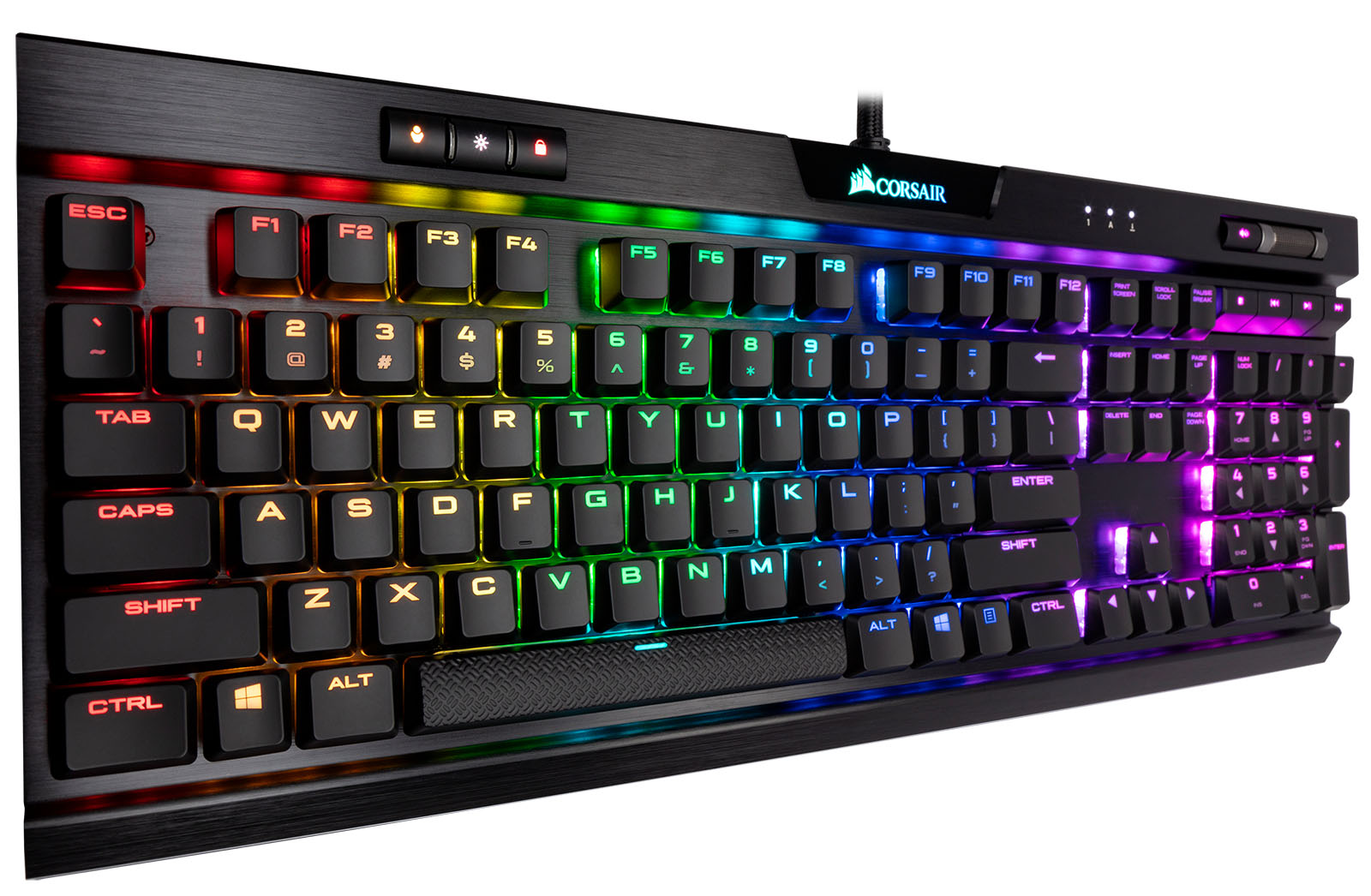
Mechanical keyboards stand out in the broader landscape of computers and consumer electronics because each key uses an individual mechanical switch rather than a rubber membrane. This design delivers crisp feedback, outstanding durability, and consistent performance under heavy daily use. For typists, that means fewer missed presses and clearer tactile cues. For gamers and creators, it means reliable actuation and precise control during fast sequences. A typical board combines a PCB, switches, keycaps, stabilizers, a plate, and a case, with many models allowing deep customization. You can tailor the feel, sound, and layout to match your desk, workflow, and aesthetic. Features like N-key rollover, high polling rate, and robust build materials further support demanding tasks. Beyond raw performance, mechanical keyboards encourage experimentation, turning an everyday input device into a long-term tool you can refine over time. Whether you value quiet focus, audible feedback, portability, or statement-making design, mechanical keyboards offer a flexible foundation that adapts to your personal way of working.
Switch Varieties
The heart of any mechanical keyboard is its switch. Three primary families define the experience: linear, tactile, and clicky. Linear switches glide smoothly from top to bottom, ideal for rapid inputs and consistent force curves. Tactile switches introduce a noticeable bump at the actuation point, giving your fingers a confirmation that a key has registered. Clicky switches add an audible click to that bump for extra feedback. Key parameters include actuation force, pre-travel, total travel, and bottom-out feel, all of which shape comfort and speed. Springs vary in weight, stems and housings influence smoothness, and some options incorporate internal dampening for quieter operation. Low-profile switches can reduce travel height, while long-pole designs emphasize a snappier bottom-out. Many boards now feature hot-swappable sockets, letting you test different switch types without soldering. If you type in shared spaces, consider silent variants; if you crave precision cues, tactile or clicky options may fit better.
Layouts Explained
Choosing a layout balances desk space, key access, and ergonomics. A full-size board includes a numpad, function row, navigation cluster, and arrows—great for spreadsheets and data entry. Tenkeyless (TKL) trims the numpad for a more neutral mouse reach without sacrificing arrows or navigation keys. Compact formats like 75%, 65%, and 60% progressively condense the footprint, with 65% often retaining arrow keys and a few navigation keys, and 60% relying on layers for functions. Ultra-compact 40% boards emphasize portability and layered workflows, rewarding users who appreciate minimal movement and programmable shortcuts. For comfort, split and ergonomic designs allow shoulder-width typing and adjustable angles to reduce strain. Ortholinear layouts arrange keys in aligned columns for precise finger travel, while dedicated media keys or macro clusters can streamline creative tasks. Consider what you press most: if you live in shortcuts and code, layers and compactness might shine; if you crunch numbers, a numpad or a modular macro pad could be indispensable.
Feel and Sound Tuning
Beyond switches and layout, the character of a keyboard emerges from thoughtful tuning. Stabilizers on larger keys like spacebar, enter, and shift benefit from proper alignment, lubrication, and shimming to eliminate rattle. Case construction and mounting styles—tray, top, or gasket—influence flex, vibration, and comfort. Plates made from aluminum, steel, polycarbonate, or brass trade rigidity for bounce and resonance. Internal foam layers and small acoustic tweaks can shape a deeper thock or a brighter clack, and a desk mat further refines the soundstage. Keycaps matter, too: PBT generally resists shine and offers a textured feel, while ABS can sound sharper and allow crisper legends. Profiles like Cherry, OEM, SA, or low-profile change key height, angle, and perceived travel, influencing fatigue and accuracy. Simple maintenance—dusting, occasional switch lubrication, and stabilizer care—keeps the board consistent, extending the life and enjoyment of your daily typing instrument.
Choosing Yours
Selecting the right board starts with your environment and habits. In quiet offices or shared spaces, prioritize silent switches, sound-dampened builds, and softer keycap profiles. For gaming or fast editing, look for low latency, high polling rate, and linear or crisp tactile switches. Connectivity also matters: wired ensures the most stable performance, while wireless options offer clutter-free setups with multi-device pairing and efficient battery management. Consider programmable firmware for per-key remapping, layers, and macros that mirror your workflow across apps. Features like RGB lighting, rotary knobs, and dedicated media keys can streamline everyday actions. If experimentation excites you, hot-swappable sockets and modular layouts let you evolve the board without replacing it. Finally, think long term: choose quality materials, maintain your switches and stabilizers, and refine your setup over time. A well-chosen mechanical keyboard becomes a reliable tool that grows with your skills and preferences.