Budget-Friendly Tech Upgrades That Make a Big Difference
Make your setup feel new for less: swap in SSDs, upgrade Wi-Fi, add ergonomic peripherals, and use smart software tweaks to boost speed and comfort.
Speed Up With a Solid‑State Drive — Upgrading from a spinning hard drive to an SSD is one of the most affordable ways to inject new life into a sluggish laptop or desktop. Even a modest-capacity SATA SSD can slash boot times, accelerate app launches, and reduce in-app stutters. If your device supports NVMe, you'll gain even faster reads and writes, but any SSD will feel dramatically snappier than an older drive. Cloning tools make it easy to migrate your system without reinstalling everything, and an inexpensive USB enclosure lets you repurpose the old drive as external storage. For reliability and longevity, leave a little free space, enable TRIM, and avoid filling the drive to the brim. Beyond speed, SSDs are quieter, more shock-resistant, and often extend laptop battery life thanks to lower power draw. This simple swap can transform everyday tasks, from opening large spreadsheets to browsing with many tabs, without demanding a full system replacement or complex tweaks.
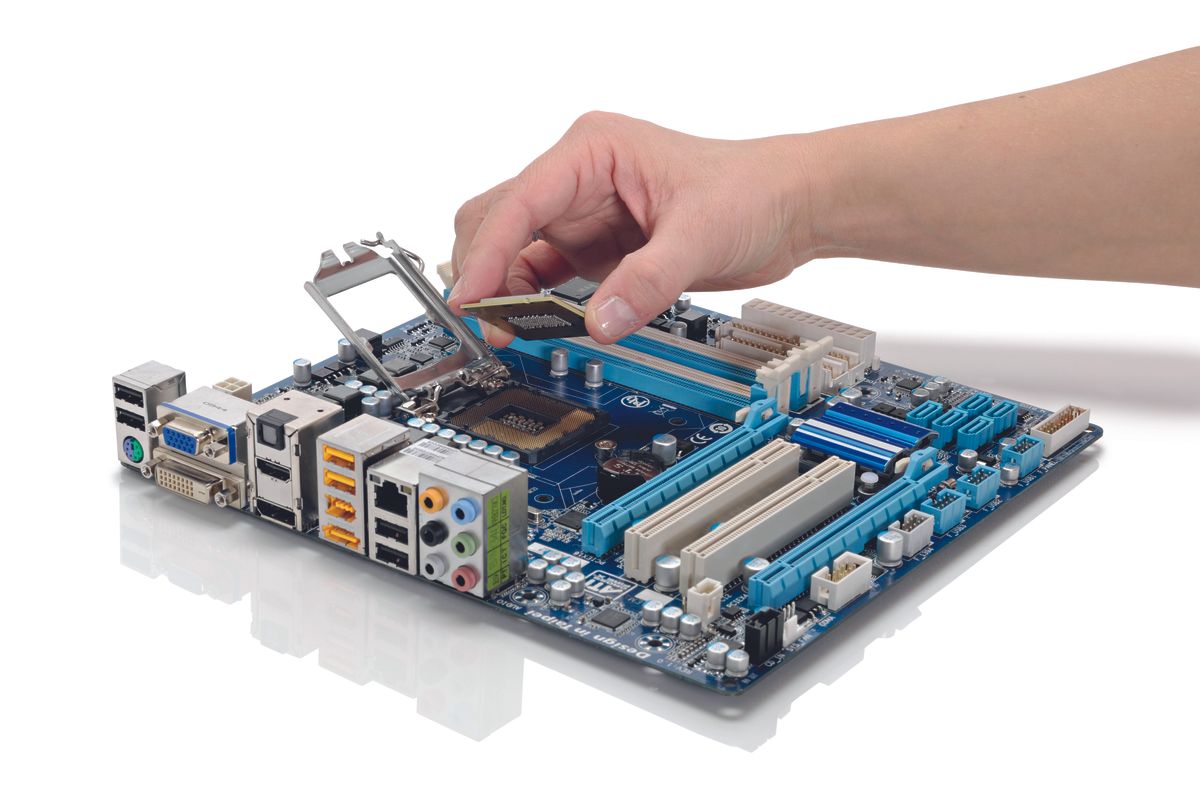
Add RAM for Effortless Multitasking — When your computer feels bogged down switching between apps, more RAM is often the fix. Extra memory helps with heavy browser use, large documents, light photo or video editing, and virtual meetings that run alongside other software. Check your device's maximum supported capacity and aim for dual‑channel configurations to boost bandwidth. While speed and latency matter, capacity usually delivers the biggest real‑world win for budget upgrades. For laptops, verify whether the memory is soldered or socketed; for desktops, installation is typically straightforward. Use your system's performance monitor to confirm if you're hitting memory limits and swapping to disk. Mixing modules can work, but matching size and speed improves compatibility. Integrated graphics also benefit from more RAM, since they share system memory. With a few screws and careful handling, this upgrade provides headroom for future workloads, reduces crashes caused by memory pressure, and keeps your device responsive well beyond basic tasks.
Transform Your View With a Better Monitor — A thoughtful display upgrade can make daily computing more comfortable and productive. Look for a monitor with a sharp resolution that matches your workspace and a comfortable pixel density so text and UI elements remain crisp. Panel types matter: IPS often provides excellent color and viewing angles, while VA panels can offer deeper contrast; both are budget-friendly in many sizes. If you juggle spreadsheets or design work, consider a slightly larger screen or an ultrawide, which can replace a dual‑monitor setup with fewer cables. For gaming or smooth scrolling, a higher refresh rate improves motion clarity. Prioritize an adjustable ergonomic stand or add a low-cost VESA arm for proper eye level and posture. Don't overlook calibration: built‑in tools and simple adjustments to brightness, contrast, and color temperature can prevent eye strain. Even pairing a laptop with an affordable external display via HDMI or USB‑C yields a dramatic quality‑of‑life boost.
Strengthen Your Wi‑Fi Without Overspending — A few strategic tweaks can deliver stronger, more consistent Wi‑Fi without a premium router. Start with placement: elevate the router, keep it central, and away from large metal objects or thick walls. Use the 5 GHz band for speed and the 2.4 GHz band for range, and adjust channels to avoid congested neighbors. For bigger homes, a budget mesh kit spreads coverage more evenly than basic extenders, especially with an Ethernet backhaul where possible. Stationary devices like desktops or streaming boxes thrive on wired connections, which reduce latency and free wireless bandwidth for mobile devices. Update firmware for security and performance, and enable QoS to prioritize calls or streaming. If antennas are removable, inexpensive replacements can improve signal direction. Finally, tidy your network by disabling legacy modes you don't use and naming bands clearly, so devices connect to the right frequency automatically, improving speed and stability for everyone.
Input Upgrades: Keyboard, Mouse, and Trackpad — Your hands interact with your tech all day; small, budget upgrades here deliver outsized comfort and precision. A well‑chosen keyboard with a gentle typing angle, clear legends, and responsive switches reduces fatigue. If you prefer a softer feel, a quality membrane model can be quiet and affordable; if you like crisp feedback, entry‑level mechanical boards offer durability and customization. Pair it with an accurate mouse that fits your grip, featuring adjustable DPI for fine control in spreadsheets or creative apps. Consider wireless options to declutter, weighing Bluetooth for cross‑device convenience versus 2.4 GHz dongles for lower latency. Rechargeable designs save on batteries over time. For laptops, an external keyboard and mouse can dramatically improve ergonomics when used with a stand, placing the screen at eye level. Add a simple wrist rest or desk mat to support posture and reduce strain during long sessions.
Clearer Sound and Video for Calls and Creation — Upgrading your webcam and microphone improves how you look and sound without a big spend. A 1080p webcam with decent low‑light performance sharpens detail and reduces grain, while a budget USB microphone or a good headset boosts clarity over built‑in mics. Position microphones close to your mouth, engage noise suppression in software, and add a basic pop filter to tame plosives. Lighting matters more than camera specs: a simple desk lamp placed at an angle can brighten your face and reduce shadows. For audio, closed‑back headphones keep sound private for calls, while open‑back models give a natural soundstage for editing in quiet spaces. If you prefer speakers, near‑field placement and subtle EQ can improve warmth and detail. These small, affordable enhancements elevate meetings, lectures, and content creation, making communication clearer and more professional across laptops, tablets, and desktops.
Power, Ports, and Tidiness: Small Tweaks, Big Wins — Streamline your setup with smart, inexpensive accessories. A compact USB‑C hub or dock multiplies ports, adding HDMI, Ethernet, and card readers to thin laptops. Upgrading to a reliable surge protector shields gear and adds spaced outlets for chunky adapters, while cable ties, clips, and sleeves keep wires tidy and safe. For charging, efficient GaN chargers pack more power into smaller bricks, reducing heat and desk clutter; pair them with quality USB‑C or Lightning cables to ensure fast, reliable charging. A vertical laptop stand frees space and improves airflow, and a simple laptop cooling pad can lower temperatures under sustained loads, reducing thermal throttling. Regular maintenance—dusting vents with compressed air and cleaning contact surfaces—preserves performance. If batteries in phones or laptops are replaceable, a certified replacement can prolong life at modest cost. These incremental upgrades create a cleaner, faster, and more dependable everyday experience.